Version Control
Version Control in Boast Image allows you to track design iterations by managing multiple versions of the same image within a single entry. This ensures that as updates are made, you can maintain a clear history of changes for your team and collaborators.
Written By Jasen Fici
Last updated 10 months ago
Accessing Version History
To manage different versions of an image:
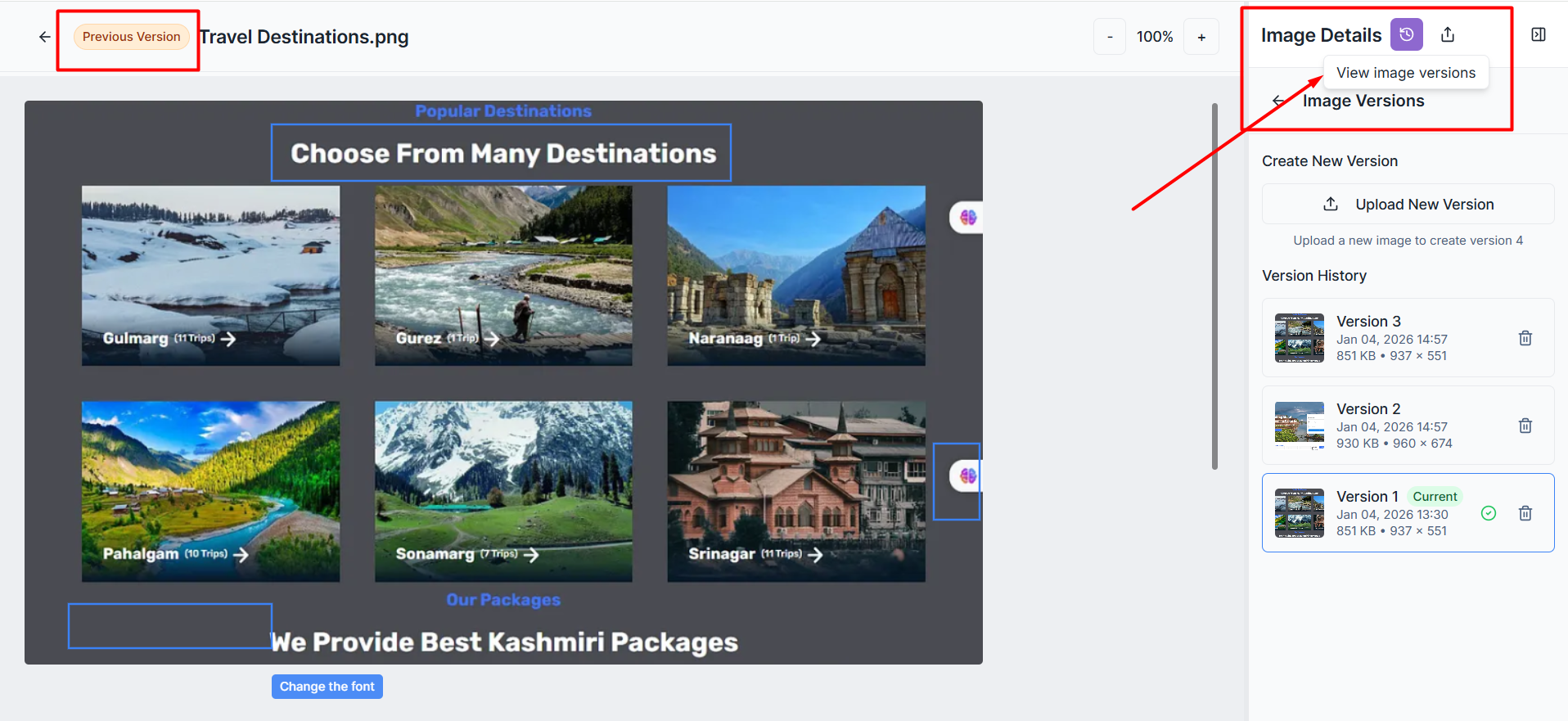
Open the image in the editor.
Click the View image versions icon (counter-clockwise clock) in the Image Details header.
The Image Versions sidebar will open, displaying the full version history for that image.
Creating and Uploading New Versions
When you have made updates to a design and are ready to upload the latest iteration:
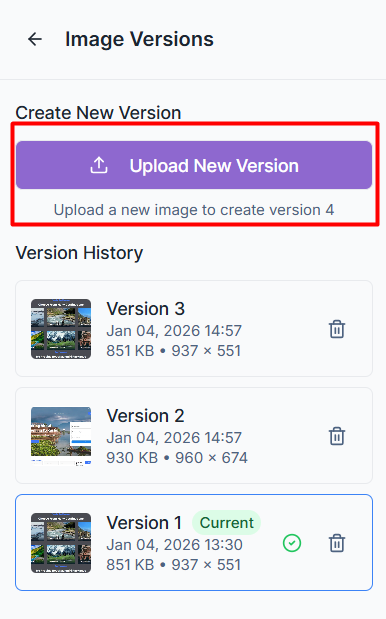
Upload New Version: Click the purple Upload New Version button in the sidebar to add your updated image.
Incremental Tracking: The system automatically labels new uploads as Version 2, Version 3, and so on, so you can easily track the progression of your work.
Identifying the Current View: The version you are currently viewing in the editor is marked with a green Current badge and a green checkmark in the sidebar.
Managing Version History
The sidebar provides detailed information and management tools for every image version uploaded:
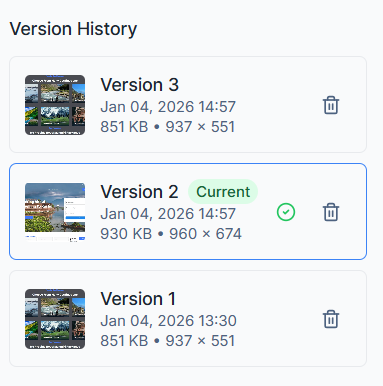
Version Details: Each entry shows a thumbnail of the image, the upload date and time, the file size, and the image dimensions.
Switching Versions: You can view previous iterations by selecting them from the list; older versions will display a Previous Version badge in the editor.
Deleting Versions: If an iteration is no longer needed, click the trash can icon next to the specific version to remove it from the history.
Shared Visibility
Version control is a collaborative feature designed for team transparency:
Internal Access: Every internal team member added to the project can access the version history to see how the image has evolved over time.
Collaborator Access: External partners with appropriate access levels can also view these iterations, ensuring everyone is working from the same context.
Was this helpful?
Still need help? Ask the team