Access Codes and Security
The Access Codes & Security section allows you to set organization-wide rules to manage how your projects are viewed, organized, and protected across the entire platform. These settings ensure that your collaborative environment remains secure while providing the necessary flexibility for team management.
Written By Jasen Fici
Last updated 10 months ago
How to Enable This
To manage and enable these configurations, follow these steps:
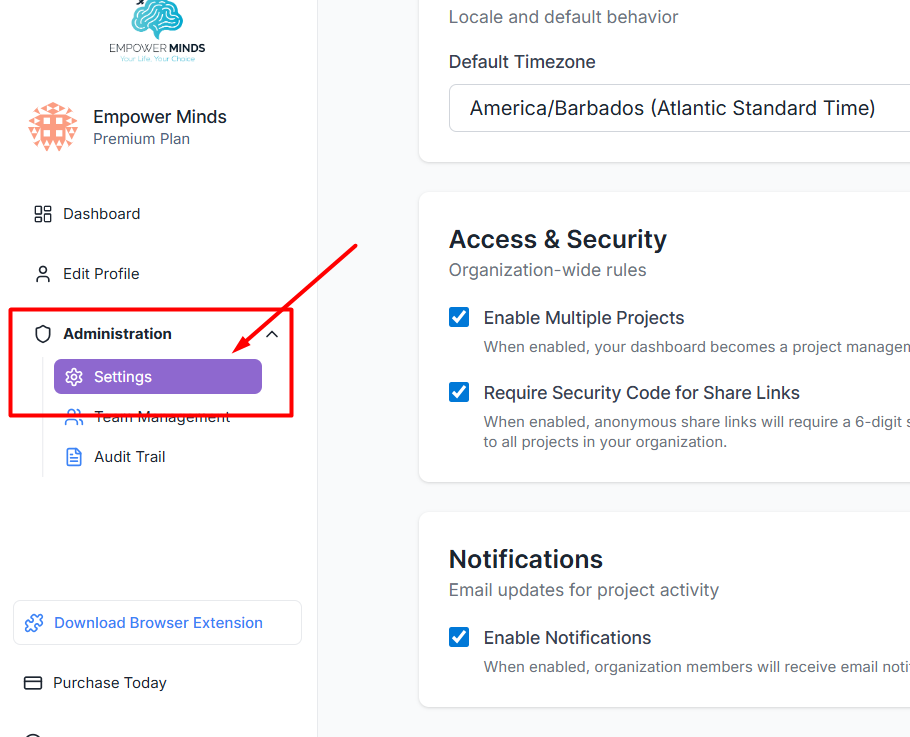
Locate the Administration section in the left-hand navigation sidebar.
Click on Settings to open the organization-wide configuration page.
Navigate to the Access & Security card.

Check the box for Require Security Code for Share Links based on your specific needs.
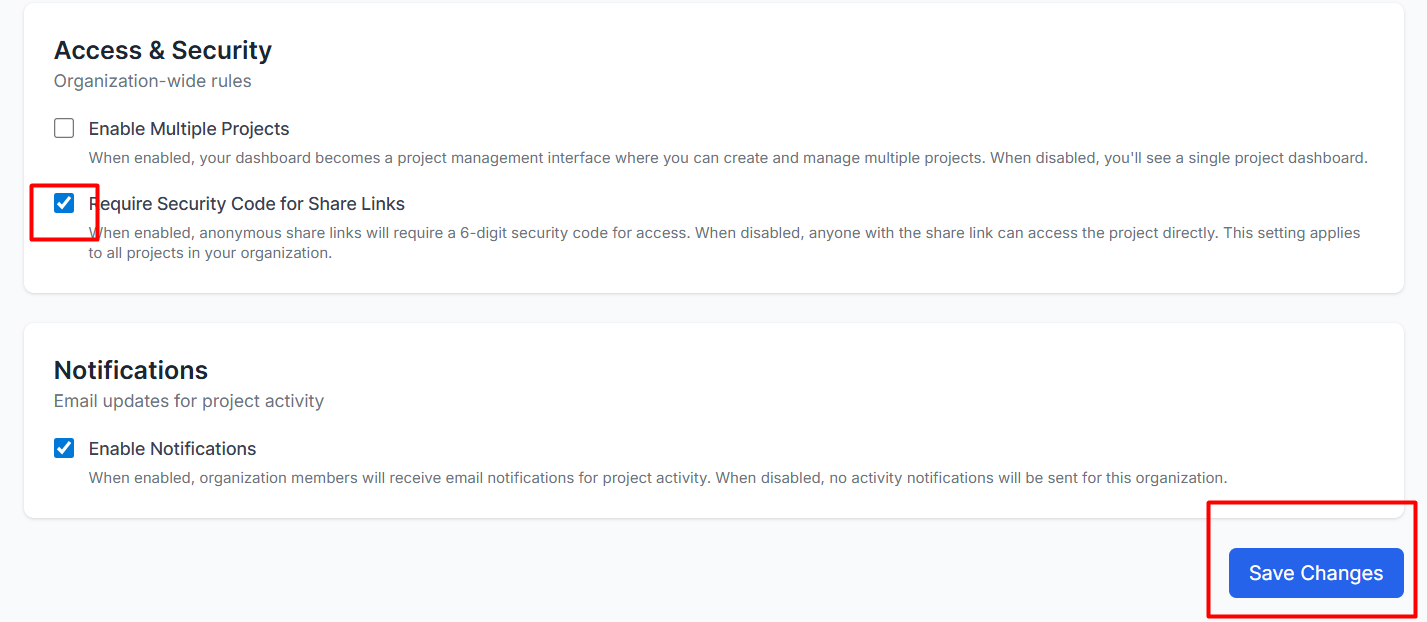
Click the blue Save Changes button at the bottom of the page to apply and finalize the settings.
Impact on Team Management
These settings directly influence how your team operates and interacts with both internal and external stakeholders:
Secure External Collaboration: The Security Code feature protects your team's work when sharing with outsiders by requiring a 6-digit code for access. This ensures that even if a public link is shared, only authorized users can view the images, annotations, and comments.
Was this helpful?
Still need help? Ask the team