Annotation Comments
Communicate feedback and suggestions through contextual comments on annotations
Written By Jasen Fici
Last updated 10 months ago
Annotation comments provide a dedicated space for real-time discussion and clarification on every piece of visual feedback, ensuring team members and stakeholders stay aligned throughout the creative process. By attaching feedback directly to images rather than using external emails or documents, all communication remains centralized and organized.
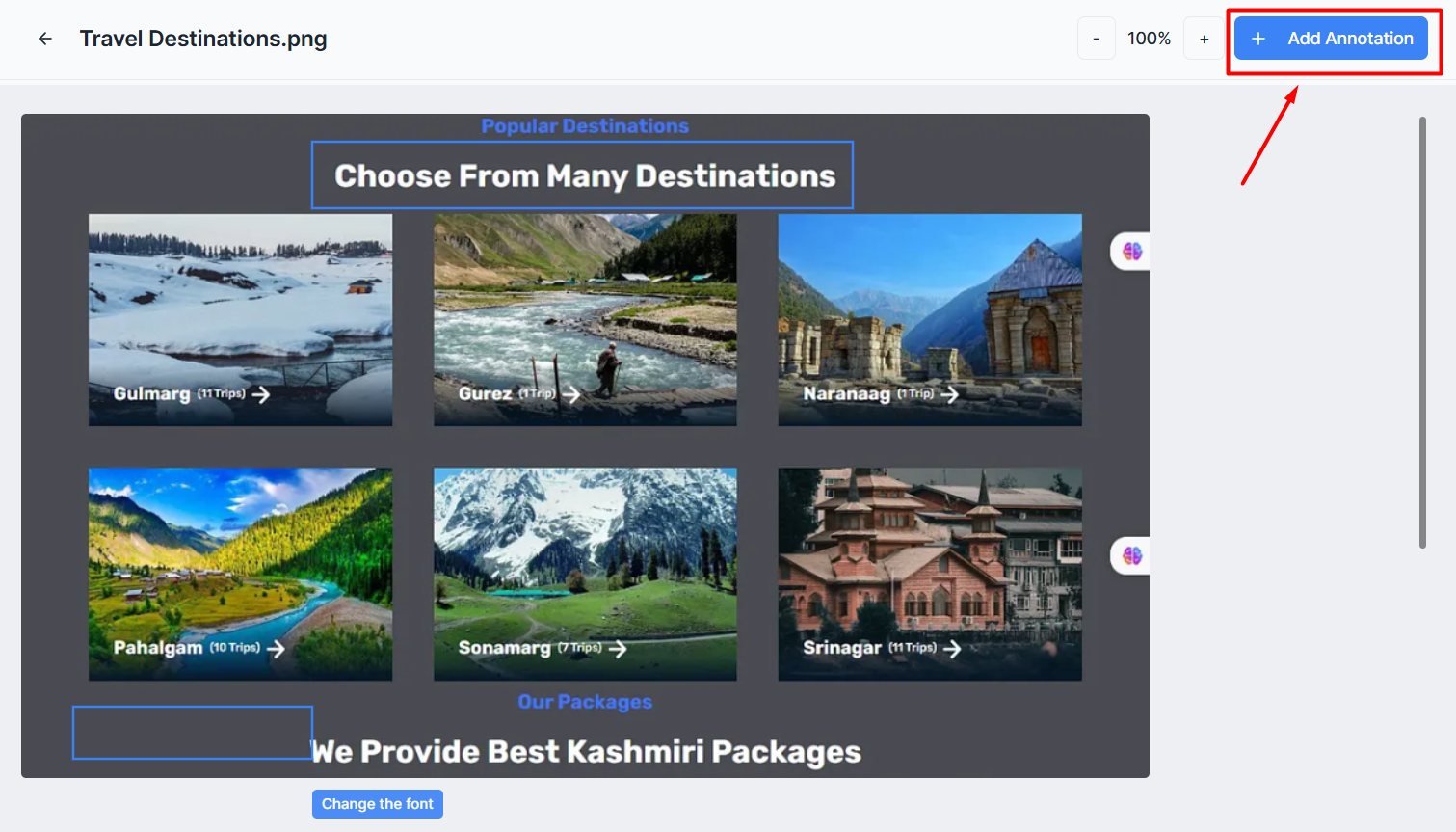
Use comments to have deep, clarifying discussions about a specific pin to ensure the final implementation matches the intended design.
This feature reduces miscommunication and speeds up decision-making by keeping all discussions in context with the visual assets being reviewed.
How to Comment and Collaborate
The comment interface is built directly into the image editor to facilitate high-speed, contextual collaboration:
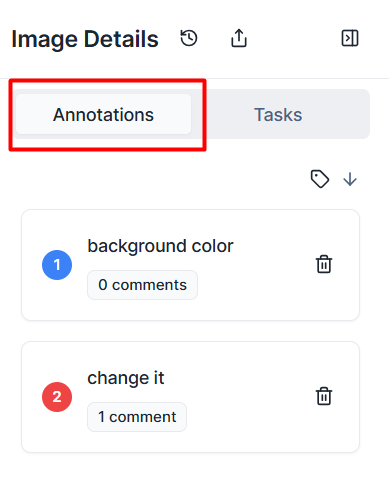
Threaded Conversations: Each annotation pin acts as its own independent discussion thread, allowing multiple team members to discuss a single issue without it getting lost in general project chats.
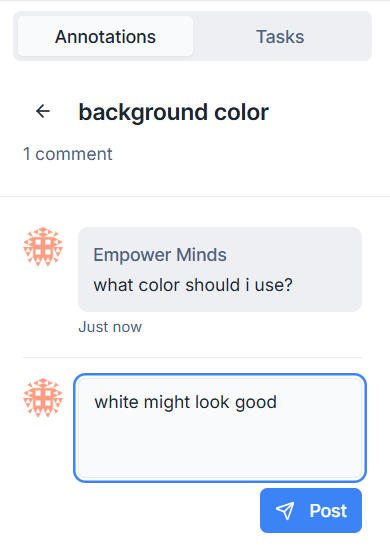
Real-Time Posting: To contribute, type your message /comment into the blue-outlined text field and click the blue Post icon to instantly share thoughts with the project team.
Contextual Feedback: By attaching discussions to specific pins, team members can ask targeted questions like "what color should i use?" exactly where the change is needed.
Version and Audit History: Every message is tracked with a timestamp and the user's name, creating a clear record of who made specific decisions and why.
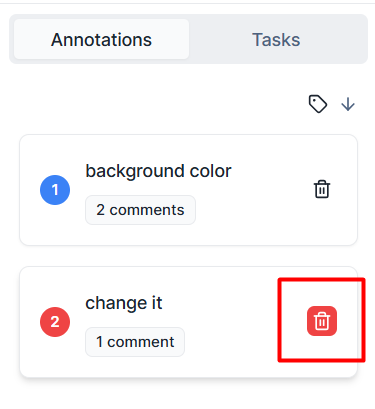
Management Controls: To keep the workspace clean as the project progresses, you can use the trash can icon to remove entries and their associated threads once feedback has been addressed.
Was this helpful?
Still need help? Ask the team